STORAGE
Locations
Arclink allows full storage location details to be recorded, from building, through floor, room, shelf, box, drawer number, etc.
Each file can be given a storage location, including a records file site. An electronic file location can also be attached to a file.
This data is rated the most important and so is the default tab the file edit screen opens at.
The locations that are available can be configured at a system wide level. This is covered in Configuration.
Searching
Arclink contains a search based around these locations to list contents by box, shelf number, cabinet, etc. The search is very flexible, and can be filtered by section and levels.
A sample search to return the above file is shown above. The screen has been reduced in size to demonstrate how filtering by section and level is done.
Reporting
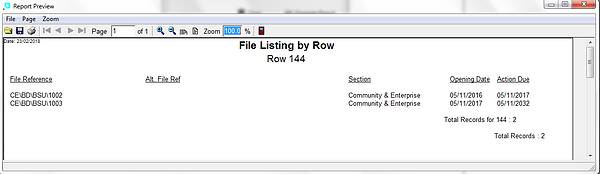
There is also a facility to print lists of files by location (e.g. box lists)

The image here shows a file edit form with all locations available. These locations can be disabled and hidden at a system level as required,
This file has it's shelf location recorded in detail, along with the file site.
The electronic file associated with this file in the path can be opened by selecting the option 'Open Linked File' (or by simply double-clicking on the entry in the path field)